The Camera
World points and screen pixels
The player can now move past the right edge of the 320 by 180 screen. A camera fixes that by storing the world point at the top-left of the view. Drawing subtracts that point from every world position before it reaches Ebitengine.
A point at world x 168 and y 136 draws at screen x 48 and y 116 when the camera sits at x 120 and y 20. The subtraction is the whole transform for this chapter.
The camera stores the world position of the screen's top-left corner. Screen x is world x minus camera x. Screen y is world y minus camera y. The run uses camera (120, 20) and world point (168, 136), so the screen point is (168 - 120, 136 - 20), or (48, 116).
The camera value
Extend internal/platform/physics.go. Add one field to World.
The camera belongs to the rules package because tests need the same numbers the window
uses.
type World struct {
	Player     Player
	Camera     Camera
	Tick       int
	FloorY     float64
	LedgeRight float64
	MaxFall    float64
}
Create internal/platform/camera.go. The file gives the world its size,
stores the camera, and converts a world point to a screen point.
package platform

import (
	"fmt"
	"math"
	"strings"

	"gez/internal/vec"
)

const (
	WorldW       = 800.0
	WorldH       = 256.0
	ScreenW      = 320.0
	ScreenH      = 180.0
	FollowFactor = 0.1
)

type Camera struct {
	X, Y float64
}

func (c Camera) ToScreen(p vec.Vec2) (int, int) {
	return int(math.Round(p.X - c.X)), int(math.Round(p.Y - c.Y))
}

func (c Camera) TargetFor(p Player) vec.Vec2 {
	return vec.Vec2{X: p.X + PlayerW/2 - ScreenW/2, Y: p.Y + PlayerH/2 - ScreenH/2}
}

func (c *Camera) Follow(target vec.Vec2, fraction float64) {
	c.X += (target.X - c.X) * fraction
	c.Y += (target.Y - c.Y) * fraction
}

func (c *Camera) Clamp() {
	c.X = clamp(c.X, 0, WorldW-ScreenW)
	c.Y = clamp(c.Y, 0, WorldH-ScreenH)
}

func (w *World) StepCamera(fraction float64, clamped bool) {
	w.Camera.Follow(w.Camera.TargetFor(w.Player), fraction)
	if clamped {
		w.Camera.Clamp()
	}
}

func CameraTransformReport() string {
	cam := Camera{X: 120, Y: 20}
	sx, sy := cam.ToScreen(vec.Vec2{X: 168, Y: 136})
	return fmt.Sprintf("camera (%.0f, %.0f); world (168, 136) -> screen (%d, %d)", cam.X, cam.Y, sx, sy)
}

func CameraFollowReport(fraction float64) string {
	cam := Camera{}
	target := vec.Vec2{X: 100}
	var parts []string
	for tick := 1; tick <= 5; tick++ {
		cam.Follow(target, fraction)
		parts = append(parts, fmt.Sprintf("tick %d %.4f", tick, cam.X))
	}
	return fmt.Sprintf("follow %.4f toward x 100: %s", fraction, strings.Join(parts, "; "))
}

func CameraTraceReport(fraction float64, clamped bool) string {
	w := NewWorld()
	var lines []string
	for w.Tick < 120 {
		w.Step(Input{Right: true})
		w.StepCamera(fraction, clamped)
		if w.Tick%30 == 0 {
			sx, sy := w.Camera.ToScreen(vec.Vec2{X: w.Player.X, Y: w.Player.Y})
			lines = append(lines, fmt.Sprintf("tick %d player (%.0f, %.0f) camera (%.4f, %.4f) screen (%d, %d)", w.Tick, w.Player.X, w.Player.Y, w.Camera.X, w.Camera.Y, sx, sy))
		}
	}
	return strings.Join(lines, "\n")
}

func CameraClampReport(fraction float64, clamped bool) string {
	w := NewWorld()
	w.Player.X = 780
	w.Player.Y = 240
	w.StepCamera(fraction, clamped)
	maxX, maxY := WorldW-ScreenW, WorldH-ScreenH
	state := "off"
	if clamped {
		state = "on"
	}
	return fmt.Sprintf("clamp %s; target (%.4f, %.4f); camera (%.4f, %.4f); max (%.0f, %.0f)", state, w.Camera.TargetFor(w.Player).X, w.Camera.TargetFor(w.Player).Y, w.Camera.X, w.Camera.Y, maxX, maxY)
}

func CameraRawDrawReport() string {
	cam := Camera{X: 160, Y: 0}
	p := vec.Vec2{X: 200, Y: FloorY - PlayerH}
	sx, _ := cam.ToScreen(p)
	return fmt.Sprintf("camera x %.0f; player world x %.0f; ToScreen draws x %d; raw Draw uses x %.0f", cam.X, p.X, sx, p.X)
}

func clamp(v, lo, hi float64) float64 {
	if hi < lo {
		return lo
	}
	return math.Max(lo, math.Min(hi, v))
}
go run ./cmd/platformer -play camera-transform$ go run ./cmd/platformer -play camera-transform
camera (120, 20); world (168, 136) -> screen (48, 116)
Camera has no Ebitengine import. The window and the tests can both ask
for the same screen point. Rounding happens once at the boundary between physics
numbers and pixels.
Following the player by one tenth
A snapped camera copies the target in one tick. This camera closes one tenth of the remaining distance each tick, so a large gap moves more than a small gap. The rule uses the same formula on x and y.
go run ./cmd/platformer -play camera-follow$ go run ./cmd/platformer -play camera-follow
follow 0.1000 toward x 100: tick 1 10.0000; tick 2 19.0000; tick 3 27.1000; tick 4 34.3900; tick 5 40.9510
The first tick closes 10 pixels because the gap is 100. The second closes 9 pixels because the gap is now 90. The camera keeps easing toward the target without passing it.
The window draws through the camera
Replace cmd/platformer/main.go. The game still reads the same movement
and jump input. After physics steps, the camera follows the player, clamps to the world,
and the draw helpers convert every world point before drawing.
package main

import (
	"flag"
	"fmt"
	"image/color"
	"log"

	"github.com/hajimehoshi/ebiten/v2"
	"github.com/hajimehoshi/ebiten/v2/inpututil"
	"github.com/hajimehoshi/ebiten/v2/vector"

	"gez/internal/platform"
	"gez/internal/vec"
)

const (
	screenW = 320
	screenH = 180
)

var play = flag.String("play", "", "print one platformer physics run and exit")
var trace = flag.Bool("trace", false, "print the camera position every thirty ticks")
var follow = flag.Float64("follow", platform.FollowFactor, "fraction of the remaining distance the camera closes each tick")
var noClamp = flag.Bool("no-clamp", false, "let the camera show outside the world rectangle")

type Game struct {
	world *platform.World
}

func (g *Game) Update() error {
	in := platform.Input{
		Left:         ebiten.IsKeyPressed(ebiten.KeyArrowLeft) || ebiten.IsKeyPressed(ebiten.KeyA),
		Right:        ebiten.IsKeyPressed(ebiten.KeyArrowRight) || ebiten.IsKeyPressed(ebiten.KeyD),
		JumpHeld:     ebiten.IsKeyPressed(ebiten.KeySpace),
		JumpPressed:  inpututil.IsKeyJustPressed(ebiten.KeySpace),
		JumpReleased: inpututil.IsKeyJustReleased(ebiten.KeySpace),
	}
	g.world.Step(in)
	g.world.StepCamera(*follow, !*noClamp)
	if *trace && g.world.Tick%30 == 0 {
		p := g.world.Player
		sx, sy := g.world.Camera.ToScreen(platformPlayerPos(p))
		fmt.Printf("tick %d player (%.0f, %.0f) camera (%.4f, %.4f) screen (%d, %d)\n", g.world.Tick, p.X, p.Y, g.world.Camera.X, g.world.Camera.Y, sx, sy)
	}
	return nil
}

func (g *Game) Draw(screen *ebiten.Image) {
	drawWorld(screen, g.world)
}

func (g *Game) Layout(outsideWidth, outsideHeight int) (int, int) {
	return screenW, screenH
}

func drawWorld(screen *ebiten.Image, w *platform.World) {
	screen.Fill(color.RGBA{R: 16, G: 20, B: 28, A: 255})
	for x := 0.0; x <= platform.WorldW; x += 80 {
		drawWorldLine(screen, w.Camera, x, 0, x, platform.WorldH, color.RGBA{R: 45, G: 52, B: 64, A: 255})
	}
	drawWorldRect(screen, w.Camera, 0, platform.FloorY, platform.WorldW, platform.WorldH-platform.FloorY, color.RGBA{R: 82, G: 96, B: 80, A: 255})
	p := w.Player
	drawWorldRect(screen, w.Camera, p.X, p.Y, platform.PlayerW, platform.PlayerH, color.RGBA{R: 230, G: 180, B: 70, A: 255})
	drawWorldLine(screen, w.Camera, 0, platform.FloorY, platform.WorldW, platform.FloorY, color.RGBA{R: 232, G: 232, B: 232, A: 255})
}

func platformPlayerPos(p platform.Player) vec.Vec2 {
	return vec.Vec2{X: p.X, Y: p.Y}
}

func drawWorldRect(screen *ebiten.Image, cam platform.Camera, x, y, w, h float64, c color.Color) {
	sx, sy := cam.ToScreen(vec.Vec2{X: x, Y: y})
	vector.FillRect(screen, float32(sx), float32(sy), float32(w), float32(h), c, false)
}

func drawWorldLine(screen *ebiten.Image, cam platform.Camera, x0, y0, x1, y1 float64, c color.Color) {
	sx0, sy0 := cam.ToScreen(vec.Vec2{X: x0, Y: y0})
	sx1, sy1 := cam.ToScreen(vec.Vec2{X: x1, Y: y1})
	vector.StrokeLine(screen, float32(sx0), float32(sy0), float32(sx1), float32(sy1), 1, c, false)
}

func printPlay(name string) error {
	switch name {
	case "camera-transform":
		fmt.Println(platform.CameraTransformReport())
	case "camera-follow":
		fmt.Println(platform.CameraFollowReport(*follow))
	case "camera-trace":
		fmt.Println(platform.CameraTraceReport(*follow, !*noClamp))
	case "camera-clamp":
		fmt.Println(platform.CameraClampReport(*follow, !*noClamp))
	case "camera-raw":
		fmt.Println(platform.CameraRawDrawReport())
	case "apex":
		fmt.Println(platform.ApexReport())
	case "jump-cut":
		fmt.Println(platform.JumpCutReport())
	case "coyote":
		fmt.Println(platform.CoyoteReport(0))
	case "buffer":
		fmt.Println(platform.BufferReport(4))
	case "cap":
		fmt.Println(platform.FallCapReport())
	case "bool":
		fmt.Println(platform.BoolFailureReport())
	case "":
		return nil
	default:
		return fmt.Errorf("no play run called %q", name)
	}
	return ebiten.Termination
}

func main() {
	flag.Parse()
	if *play != "" {
		if err := printPlay(*play); err != nil && err != ebiten.Termination {
			log.Fatal(err)
		}
		return
	}
	ebiten.SetWindowSize(960, 540)
	ebiten.SetWindowTitle("Platformer")
	ebiten.SetTPS(60)
	if err := ebiten.RunGame(&Game{world: platform.NewWorld()}); err != nil {
		log.Fatal(err)
	}
}
go run ./cmd/platformer -play camera-trace$ go run ./cmd/platformer -play camera-trace
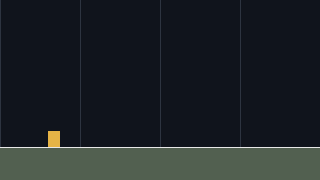
tick 30 player (108, 136) camera (0.0000, 51.7109) screen (108, 84)
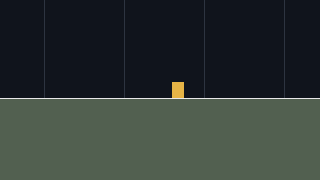
tick 60 player (168, 136) camera (4.6093, 53.9030) screen (163, 82)
tick 90 player (228, 136) camera (56.3650, 53.9959) screen (172, 82)
tick 120 player (288, 136) camera (116.0155, 53.9998) screen (172, 82)
The trace prints every thirty ticks. The player moves right at 2 pixels a tick, and the camera begins to move once the player's target is past the left edge. The screen x settles near the centre instead of increasing forever.
Clamping the camera to the world edge
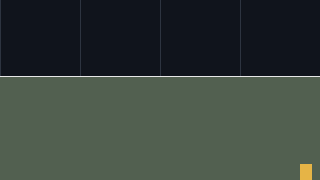
The world is 800 pixels wide and 256 pixels tall. The screen can show 320 by 180 of it. The largest legal camera position is x 480 and y 76, because those numbers still leave one full screen inside the world.
go run ./cmd/platformer -play camera-clamp -follow 1
go run ./cmd/platformer -play camera-clamp -follow 1 -no-clamp
$ go run ./cmd/platformer -play camera-clamp -follow 1
clamp on; target (626.0000, 158.0000); camera (480.0000, 76.0000); max (480, 76)
$ go run ./cmd/platformer -play camera-clamp -follow 1 -no-clamp
clamp off; target (626.0000, 158.0000); camera (626.0000, 158.0000); max (480, 76)
The -follow 1 flag makes the camera move straight to the target in one
tick, so the clamp is the only difference between the two runs. With the clamp off,
the camera asks to show space past the world's right and bottom edges. With the clamp
on, it stops at the last full view.
Raw world coordinates break drawing
Change one draw call so it uses p.X directly instead of calling
ToScreen. Run the failure print with the camera at x 160:
go run ./cmd/platformer -play camera-raw$ go run ./cmd/platformer -play camera-raw
camera x 160; player world x 200; ToScreen draws x 40; raw Draw uses x 200
The symptom is a player drawn 160 pixels too far right. The camera has moved, but the
broken draw call ignores it. The fix is to keep drawWorldRect and
drawWorldLine as the only places that turn world points into screen pixels.
What the camera and draw helpers can now answer
- Convert a world point to a screen pixel by subtracting
Camera.XandCamera.Y. - Follow the player by closing 0.1 of the remaining distance each tick.
- Print the player, camera and screen positions every thirty ticks with
-trace. - Clamp the camera to x 480 and y 76 so a 320 by 180 screen stays inside an 800 by 256 world.
- Find a draw call that skipped
ToScreenby comparing the raw x with the screen x.
Exercise 1 · faster follow. Run go run ./cmd/platformer -play camera-follow -follow 0.25.
The first number is 25.0000 because the camera closes one quarter of the 100-pixel gap. Each later tick closes one quarter of the smaller gap.
Exercise 2 · visible debug marker. Extend drawWorld to draw a thin vertical line at the camera's target x, then run the window and hold D.
The marker should stay near the middle while the grid slides. If it moves with the player rectangle, the line used a raw world coordinate.
Exercise 3 · clamp off. Run the window with -no-clamp, hold D until the far edge, then run it again without that flag.
With the flag, the background can slide past the edge of the world. Without it, the view stops at the last legal camera x.